
Homepage Hero Title
Popular Services
Stat Infographic Headline
The stat infographic is a frame for agencies to display statistics. This is the frame entirely filled in, using the primary accent color.
- Statistic 1 Card Title 1 Description here Lorem ipsum dolor sit amet, consectetur adipiscing elit, sed do eiusmod tempor
- $400 Million Donated to lorem ipsum For Duis aute irure dolor in reprehenderit in voluptate velit esse cillum dolore eu fugiat nulla pariatur.
- 750 Units Built on lorem ipsum Available dolor sit amet, consectetur adipiscing elit, sed do eiusmod tempor incididunt ut labore
Call and Response Frame aka "Accordions"
When to use this component
- Use an accordion when you need to organize related information into expandable sections, reducing the need for users to scroll through long content.
- Ideal for supplemental details like optional steps, extra instructions, or secondary eligibility notes—similar to FAQs.
- Helpful in mobile layouts to keep pages compact while still allowing access to full details.
When to consider something else
- Do not hide essential, universal information such as critical deadlines, main eligibility criteria, or urgent alerts inside collapsed panels. Keep these visible by default!
- If users need to compare details from multiple sections at once, consider using a table or side-by-side layout instead of an accordion.
- When should an author choose to use this frame?
- Use accordions for FAQs on state services, like DMV procedures or benefits information.
- Use to break up long program descriptions into manageable sections without overwhelming the reader.
- Label headings clearly so users understand the content before expanding.
- Are there any circumstances when an author should not use this frame?
- Don't hide time-sensitive deadlines or required steps in a collapsed section.
- Don't use vague or unclear headings that make it hard to know what is inside.
- Don't overuse accordions for content that is short enough to display fully on the page.
- What are the current best practices for using Accordions on modern web sites?
Accordions should be used sparingly to declutter pages by hiding non-essential, secondary content (e.g., FAQs, long lists) while keeping core, actionable information visible. Best practices include using clear, descriptive, and clickable headers with icons (like carats) to indicate interactivity. Ensure full accessibility with keyboard support and proper ARIA labels, and avoid nesting them to prevent usability issues. [Source]
- When to Use: Ideal for FAQ sections, technical specifications, or long lists that are supplementary, allowing users to scan topics without scrolling.
- When to Avoid: Do not hide critical, need-to-know information within an accordion. If users need to read all content, display it directly.
- Header Clarity: Use simple, concise, and descriptive headers that accurately reflect the hidden content.
- Visibility Indicators: Use a caret (^) or similar icon to clearly indicate that a section can be expanded.
- Functionality: Allow users to open and close multiple sections at once, rather than forcing only one to be open at a time.
- Accessibility & SEO: Use proper <button> elements for headers to ensure keyboard navigation (Enter/Space) and ARIA attributes such as `aria-expanded` for screen readers.
- Mobile Considerations: Keep text concise to avoid excessive scrolling on small screens.
[Source]
- This accordion has been created for release testing
Accordion content. Lorem ipsum dolor sit amet, consectetur adipiscing elit, sed do eiusmod tempor incididunt ut labore et dolore magna aliqua. Ut enim ad minim veniam, quis nostrud exercitation ullamco laboris nisi ut aliquip ex ea commodo consequat. Duis aute irure dolor in reprehenderit in voluptate velit esse cillum dolore eu fugiat nulla pariatur. Excepteur sint occaecat cupidatat non proident, sunt in culpa qui officia deserunt mollit anim id est laborum.
- When to Use: Lorem ipsum dolor sit amet, consectetur adipiscing elit, sed do eiusmod tempor incididunt ut labore et dolore magna aliqua.
- When to Avoid: Ut enim ad minim veniam, quis nostrud exercitation ullamco laboris nisi ut aliquip ex ea commodo consequat.
- Header Clarity: Duis aute irure dolor in reprehenderit in voluptate velit esse cillum dolore eu fugiat nulla pariatur.
- Visible Indicators: Excepteur sint occaecat cupidatat non proident, sunt in culpa qui officia deserunt mollit anim id est laborum.
- Functionality: Lorem ipsum dolor sit amet, consectetur adipiscing elit, sed do eiusmod tempor incididunt ut labore et dolore magna aliqua. Ut enim ad minim veniam, quis nostrud exercitation ullamco laboris nisi ut aliquip ex ea commodo consequat.
- Accessibility & SEO: Ut enim ad minim veniam, quis nostrud exercitation ullamco laboris nisi ut aliquip ex ea commodo consequat. Duis aute irure dolor in reprehenderit in voluptate velit esse cillum dolore eu fugiat nulla pariatur.
- Mobile Considerations: Duis aute irure dolor in reprehenderit in voluptate velit esse cillum dolore eu fugiat nulla pariatur. Excepteur sint occaecat cupidatat non proident, sunt in culpa qui officia deserunt mollit anim id est laborum.
- Another accordion created for release testing
Lorem ipsum dolor sit amet consectetur adipiscing elit. Semper vel class aptent taciti sociosqu ad litora. Blandit quis suspendisse aliquet nisi sodales consequat magna. Cras eleifend turpis fames primis vulputate ornare sagittis. Sem placerat in id cursus mi pretium tellus. Orci varius natoque penatibus et magnis dis parturient. Finibus facilisis dapibus etiam interdum tortor ligula congue. Proin libero feugiat tristique accumsan maecenas potenti ultricies. Sed diam urna tempor pulvinar vivamus fringilla lacus. Eros lobortis nulla molestie mattis scelerisque maximus eget. Porta elementum a enim euismod quam justo lectus. Curabitur facilisi cubilia curae hac habitasse platea dictumst.
WYSIWYG Title Example Headline
A WYSIWYG frame has so many possibilities for displaying content.
To quote someone or emphasize a point in a large paragraph.
- A listing
- That can summarize key points
- And be used to organize ideas
- That can summarize key points
Another listing offered
- Is numerical
- Maybe to create a step-process
More WYSIWYG use examples will be linked here such as images, videos, tables, dividers, headings, and CTAs.
Quick Links Title
Two Columns and Two CTAs
Column 1 Title


This page uses the categorization taxonomy

TOC is disabled on page, but enabled on card. Uses the categorization taxonomy.

Column 2 Title

This is an all day future event, with a hero image, one line of keywords and TOC enabled.
This is a multi-day current event that starts at 8am-5pm until the year 2030. All optional areas of the page are disabled.

Past Event with hero image, duration of a few hours, and TOC enabled.
Past Event without hero image, happened all day, and TOC disabled. Redirect URL used on frames.

Current Event hero with image, duration is all day for multiple days, and the TOC is disabled.

Future Event with hero image, duration of five days for three hours each day, and TOC disabled.
Future event hero without image, duration of several hours, and TOC enabled.
Category Tiles Title
Category Tiles Headline
Category Tiles can be used to display up to 20 CTA boxes of internal or external links.
Get Involved Title Headline
The Get Involved frames holds space for one optional descriptor paragraph section and an optional 1-3 CTAs.
Summary Title
Summary Headline
Descriptor 1
This frame is used to display key points, details, and supporting arguments. These points could be part of a plan or initiative.
Descriptor 2
Frames that are next to each other should have different background colors.
Descriptor 3
It is a business rule to use two or three descriptors. There is only one optional CTA.


1. Albany riverfront
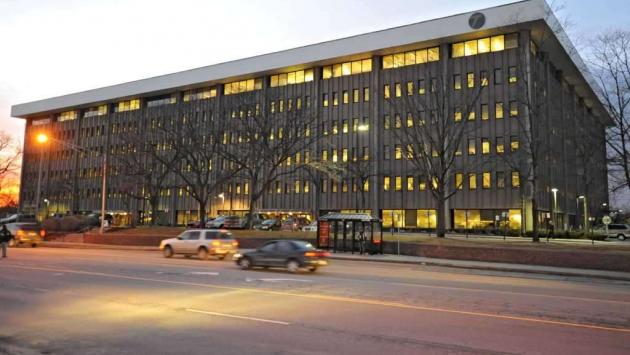
2. DOT buidling

3. Capitol building

4. Empire State Plaza
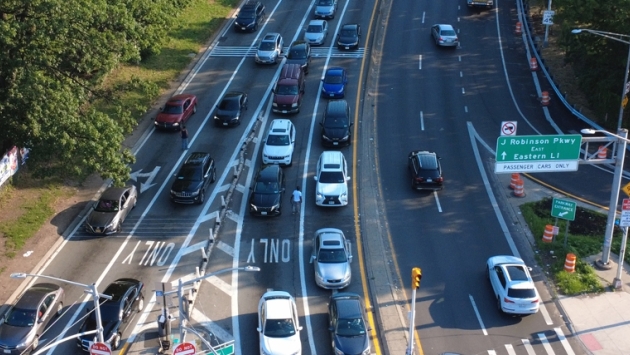
5. Parkway traffic

6. State park

7. Lighthouse

8. Walkway

9. Adirondack rail trail

10. Fall foliage
Video Title
Video Headline
A video can be embedded from either youtube or vimeo. This one example is from the youtube belonging to NYS ITS.